outdoor camera is still giving me notification of activity, even though my activity Zone does not include that area., I’d send you a screenshot of my activity Zone, but I don’t see anywhere to attach a screenshot
https://VIDEO_URL?video_id=d4a2c35d4f0b2a2deba9d8f243d6c74bLxM
My guess is the shadow of the person walking past is in the activity zone.
I am having the same issue. Getting a notification. Going on the app later and there is nothing in my events
Yeah is the shadow in the zone
Or did the tree shadows move

I’m surprised you have the E30 installed in that position
Must be the shadow
I this is because it’s still within the cameras view (barely) I’ve never set up an activity zone, so not really sure how all that’s supposed to work. As for uploading a screenshot, you can use the comments to upload one.

Shadows??
here are my screen shots of activity zone and activity on the sidewalk that triggered an alarm


i am responding on my desktop. do I have to respond via my cell phone? just not sure these screen shots will appear on this forum
here is another screenshot of activity zone
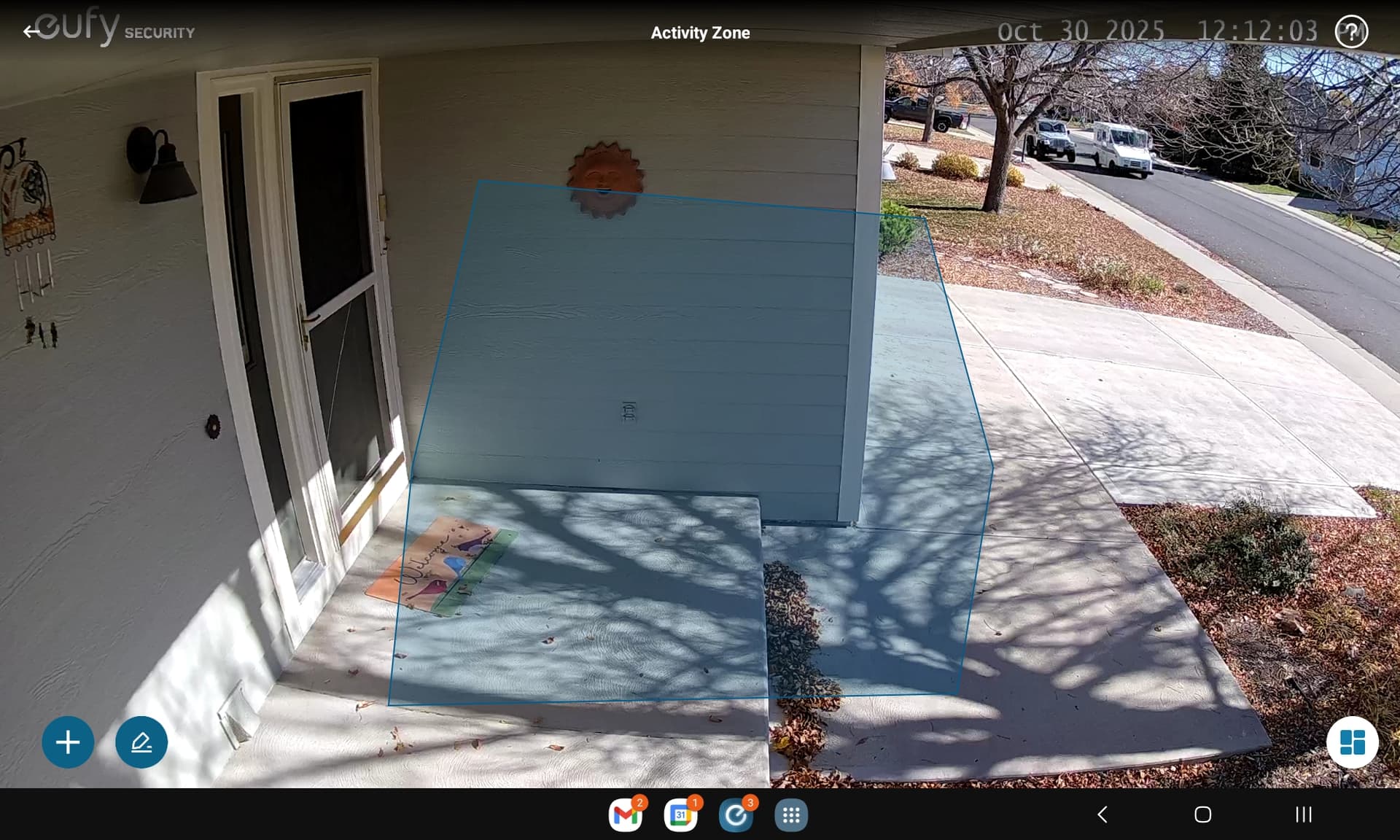
It’s eufy, dont be surprised at false triggers. I have a palm tree that triggers as human every time the wind blows.
1 Like
It will be shadows triggering as movement. Maybe turn off other in the types, just keep humans
only have human and vehicle detection enabled, level 3 sensitivity
here’s more pics of the problem…detecting activity in the street !
unfortunately it fails to detect vehicles too…


missed this one
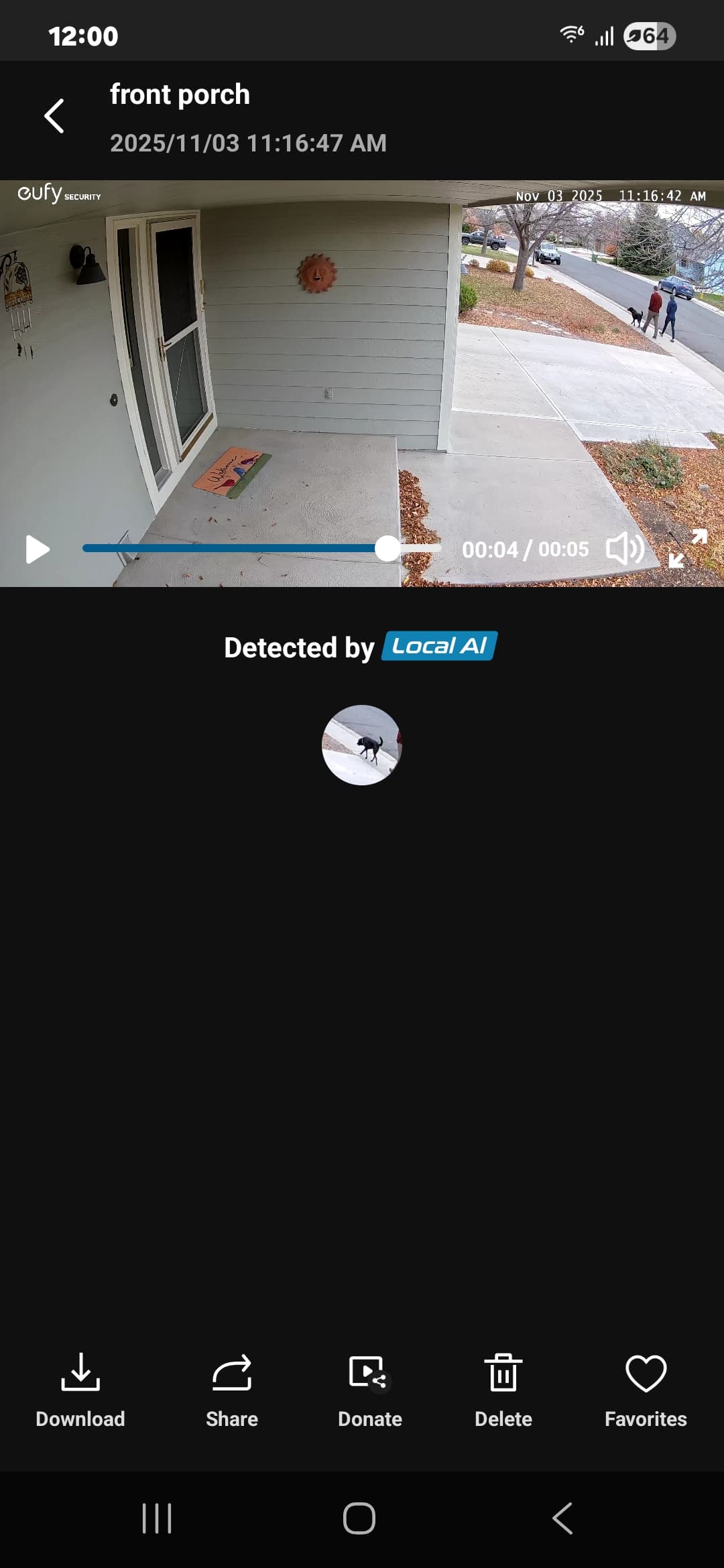
after chasing a resolution for the E30 solo solar camera, (cam causes false alarms outside of defined
activity zones), Eufy has advised me that it is a known problem.
"After further investigation by our engineering team, we have identified this as a known software problem for which there is currently no solution. "
now i need a solar outdoor camera that works correctly. Any suggestions? thanks.
The new solar powered S4 is very good…