Thanks a ton for sharing your feedback—we’ve made a note of your suggestion and will pass it along to the product team for review!
Also, just to better understand your situation, can you confirm if your suggestion is based on the eufy RoboVac model you’re currently using? If you don’t mind, could you also share the following info so we can follow up properly:
The eufy RoboVac model you have now
The Clean App version (you can find this at the bottom of the sidebar under “About eufy Clean”)
Thanks again for your support and cooperation! If you have any other thoughts or feedback, feel free to reach out anytime.
I agree with redrawing walls as from time to time my robot “reduces” the size of rooms. Also we have some floor to ceiling windows that the robot sees as openings and also creates rooms outside beyond these windows. It would be great to be able to create a wall at these windows, and also delete the incorrect “outside rooms” it has created. I have Omni 10 pro and app version 3.9.0
E25 & Clean 3.9.0
I think it should display the walls of the room even if it can’t get to the edge (i.e. because there’s a surface or cupboard against it)
I think the option to carefully (ie slowly) navigate an edge potentially without brushing would be useful — like the borders of a rug, so it doesn’t flip the rug. If it could learn where it gets trapped and take care at those spots would be a good use of AI.
Getting it to just do the edges of a room would be good, as well as some sort of tail wiggle to mop the edges of rooms too. Or even the possibility to nudge at open doors to clean behind them?
The robot position also lags on the map
If the camera could be operated as part of the security app that would be awesome!
Lastly(!) I think the ability to select a specific point or area on the map to get the robot to visit and vacuum/mop would be useful.
The ability to reverse walls. Mine always ”move” one wall between two rooms. So the virtual wall is further in to the kitchen, meaning when it then cleans the living room next to the kitchen it goes back into the kitchen passed the physical wall inorder to clean next to the virtual wall. I have to remap everybody now and then to rectify. And it’s behaves the same even when I use Zones and I draw the Zone right up the the physical walls, it still changes the virtual wall in the app .
The option to go closer to walls. On other correctly mapped walls my vac still doesn’t always go close to the edges, there might be anywhere from a 1cm (0.39”) to 4cm (1.57”) between the brush and the wall.
Thanks for creating this forum!
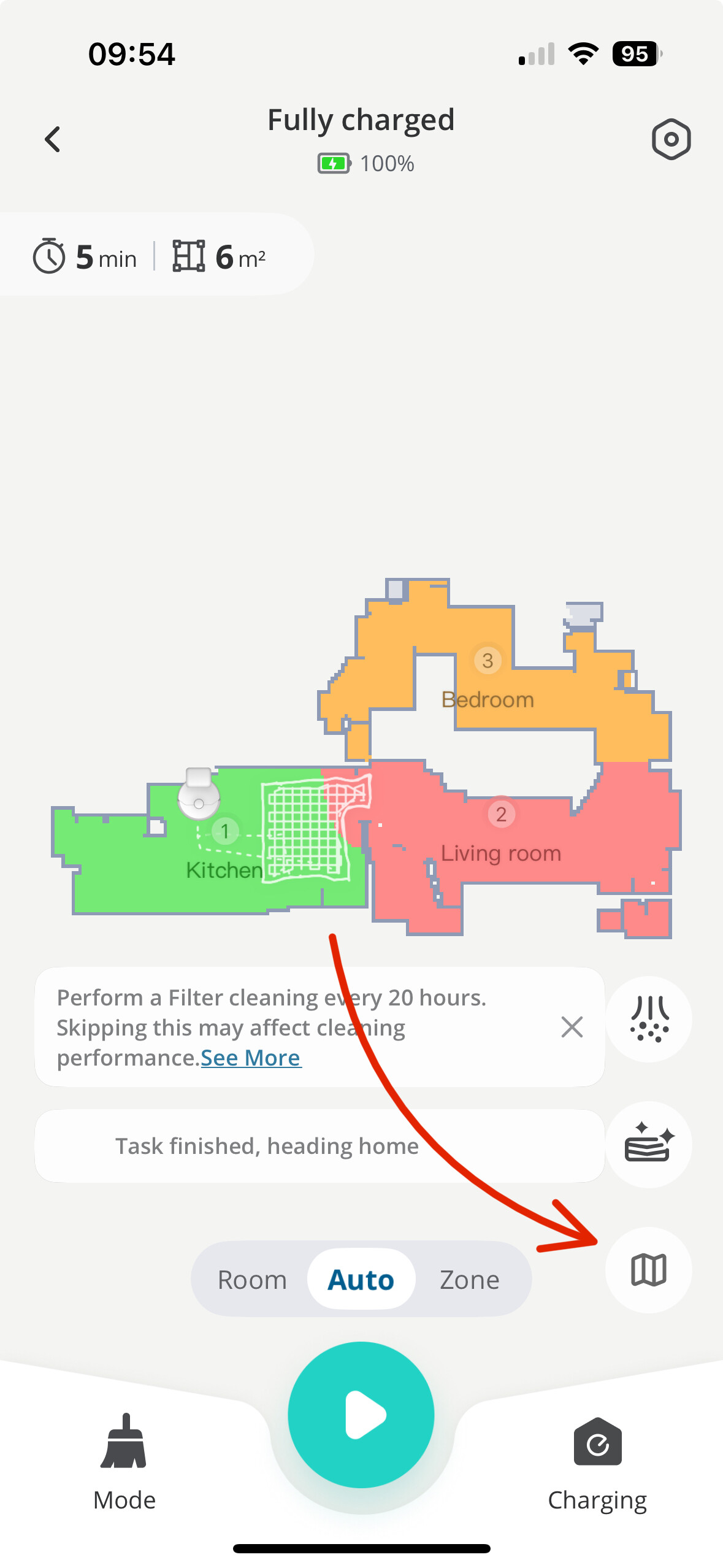
Hi Jan, I’m not sure if it’s the same with you Omni as it is with my Eufy L60.
but the is an option for me to step up ”No Go Zones” and Virtual Walls. Could that work for your big windows?
I marked a screenshot to show where I click in the app to get that option. Let me know if that works for you
Would love to be able to add additional rooms or cleaning tasks once the robot is already cleaning. Annoying to have to let it go all the way back to the base before selecting additional areas to clean.

 mine decide to cross the door limit i think it wanted to go outside for a stroll its beautyfull day after all