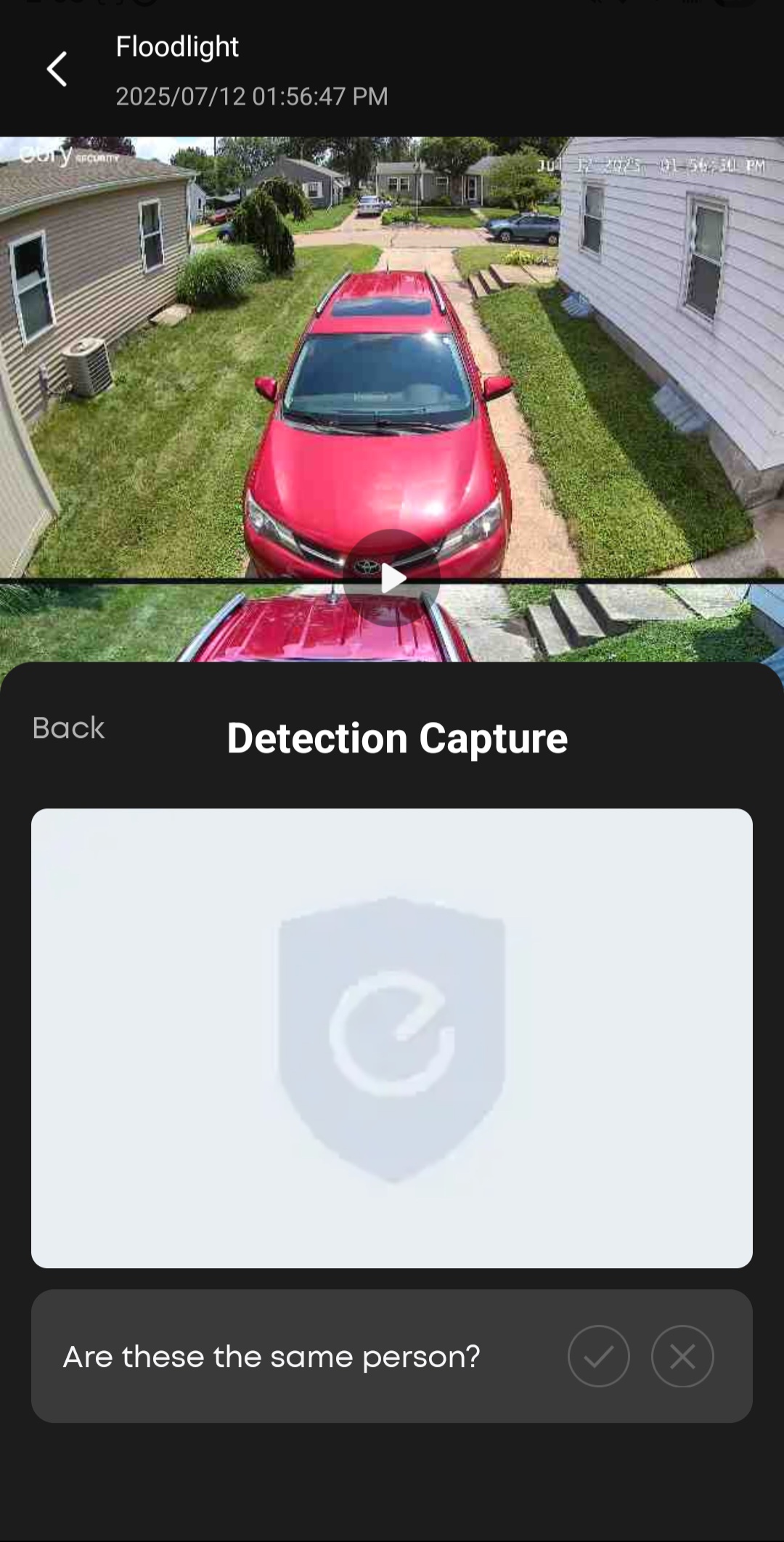
Is anyone else having this issue? AI is correctly identifying pets, humans, and passing vehicles. It correctly tags them in the list of events. However, when I play the events then tap the thumbnail of the detected object, no matter what it is, it asks if this is the same person and it’s blank. The attached screenshot shows this. It correctly detected that blue car passing by on the street. I’ve contacted Eufy support, sent screenshots, as well as all logs. They said they think it’s incorrectly identifying objects, but it has them all tagged correctly in the event list. The Homebase updated recently, and so did the app. I suspect the issue started with one of the updates.
28 Likes
Long time issue.
3 Likes
I have the same issue. 
2 Likes
Me too. Submitted multiple complaints so far
3 Likes
No
1 Like
I have an open ticket. They said they think it’s an issue with the Floodlight Cam and want the serial number, but I find that difficult to believe.
Same issue
1 Like
Yes, that’s certainly not. I have the E340 and Homebase 3. It’s a number of different cameras affected 

1 Like
Actually the S340 

1 Like
Same issue on all my videos (9 cameras, 4 different models).
2 Likes
So the eufy app had another update today, so I installed it. Now I can see the thumbnail of the object detected, and it’s no longer asking if it’s the same person for every single object, no matter what it is. However, now it’s not asking anything. It used to ask the user to confirm if it’s a vehicle, pet, etc. Perhaps they’re trying to fix the issue but they’re just not quite there yet.
3 Likes
Me too  I hope they fix it soon.
1 Like
Mine does this from time to time
1 Like
Unfortunately, Eufy has updated the app a couple of times since I started seeing this issue and it’s still not resolved. After the most recent up, I now see the thumbnail, but it’s back to asking if “these are the same person”, regardless of what type of motion was detected. It’s still correctly identifying the objects in the Events list. Hopefully this gets corrected soon. Users will not be able to train the AI if we’re not asked the correct question.
Me too nothing is asked anymore… new faces do not get detected by bionic AI too. This last update is terrible.
1 Like
Agreed. Now I’m having an issue with the detected object not even showing in that little pop up window where you’re supposed to be able to train the AI. Most of the time, it’s just the image of my driveway, before the camera moved. Other times, it takes the photo with the object just barely in view. It gets worse with each update. Very frustrating! I’ve tried setting the rotation speed faster and slower and it doesn’t help.