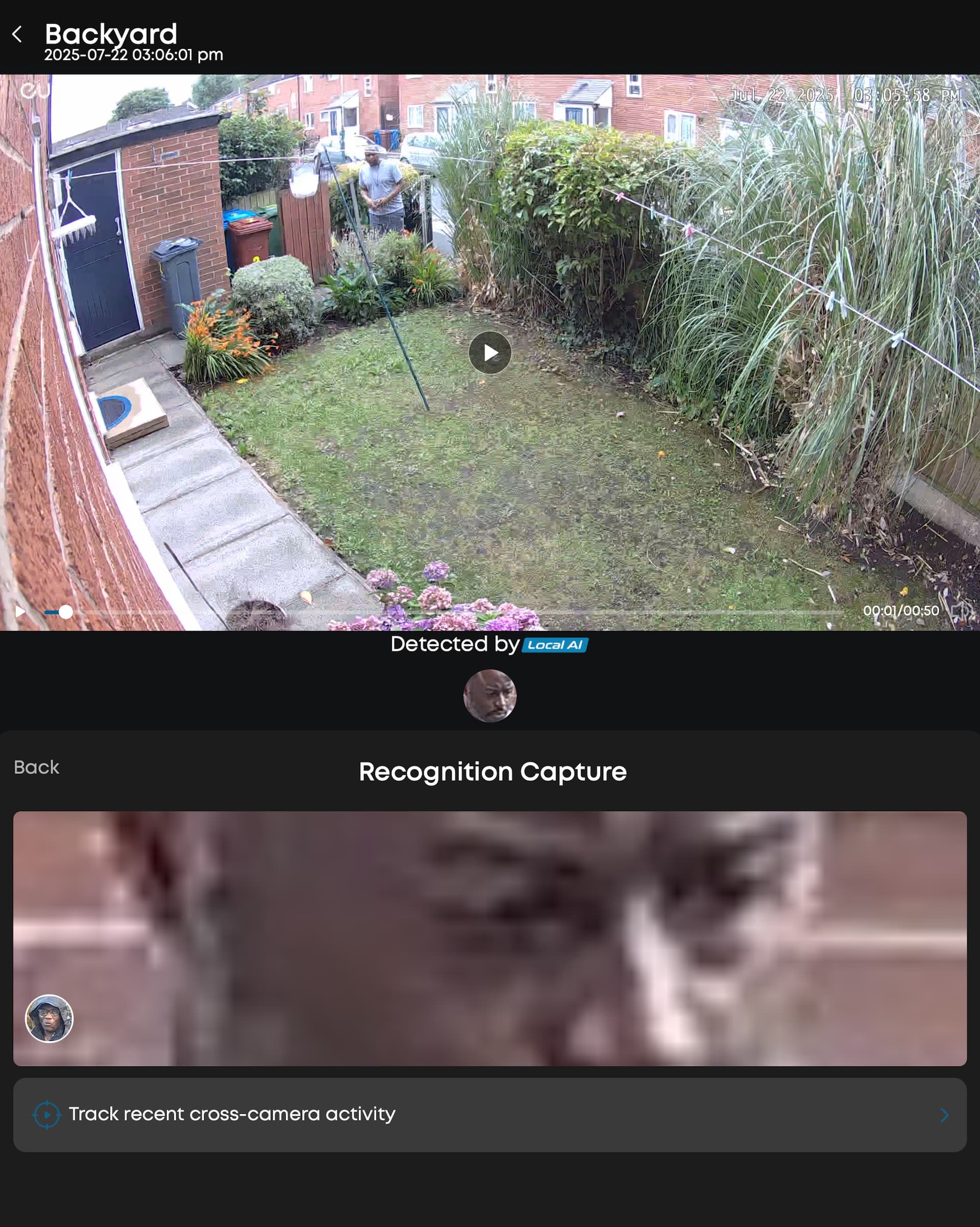
I’ve recently noticed an issue with the facial recognition feature in the Eufy Security app. When a person is detected and matched with someone in my “Facial Management” list, there’s no clear option to confirm whether the match is correct or not.
In my case, the system mistakenly linked the detection to another person I had previously set up. However, I wasn’t given any option to confirm or correct the match — it just automatically assigned the name without allowing me to verify or change.
This is new 
4 Likes
Same issue here (latest Android app), also when it mistakenly identified ‘shadow’ as a person I’m not able to report and submit it as before. I have sent an email to Eufy support to see if they can reproduce, and hopefully fix the issue.
Same here. Recognition capture AI suddenly doesn’t allow confirmation or correction.
1 Like
I’ve had a reply from support and they identified the issue and are working on a solution. I’m still very satisfied with the response time and quality of Eufy support. Now I hope they can fix it soon.
2 Likes
Their response time are great. The solutions are otherwise!
1 Like
Looks like the last update (android 5.080) fixed this issue!
1 Like
You can now , for some events, amend detected person, as in confirm that the person identified isn’t the person matched. But you can’t do this on all events.
Correction. Just updated my Android. You’re correct
1 Like