Hey,@deal1372 thanks for the info. Appreciate it.
I’m interested in purchasing the E10 Smart Display for its Live View function and also for not needing to use the phone all the time to watch a recorded event and during the evenings while I’m watching TV I can have the monitor by my side monitoring my E220’s.
Though I’m rethinking the purchase??
If it’s not playing well with my outdoor pros, split recorded video clips of the same detected motion and possibly missing two to three seconds of activity when the recording restarts.
Spotlight glitches… Though, I don’t use the spotlight as I have enough lighting outside.
Now I read something about Sound Detection doesn’t activate the monitor and I use sound detection every so often..
Does your Outdoor Cam still show the 3 second pre-roll footage that occurs before the recorded event?
I’ll have to see how the production team works things out.
I think considering your use case I would wait and see based on what this August update has. I think there is some disconnect between customer/product expectations with the auto live view at the moment. From my perspective, and I suspect yours, we want the auto live view to connect to the camera and then the event to be recorded as per normal.
If Eufy can offer that with the “Record live video feed” feature then that would be ideal.
The E10 smart display is such a great idea. If we can get the auto live view issues worked out then I’d highly recommend it. I like mine, it is just at the moment there are alot of issues around live view and events.
“Does your Outdoor Cam still show the 3 second pre-roll footage that occurs before the recorded event?”
I dont think so but I will check on this some more and update this post with some testing on pre-roll.
@dea1372 the majority of the time pre-roll works fine, I have noticed that if the camera has been inactive for quite some time, pre-roll isn’t as long as it should be. Possibly due to waking up?
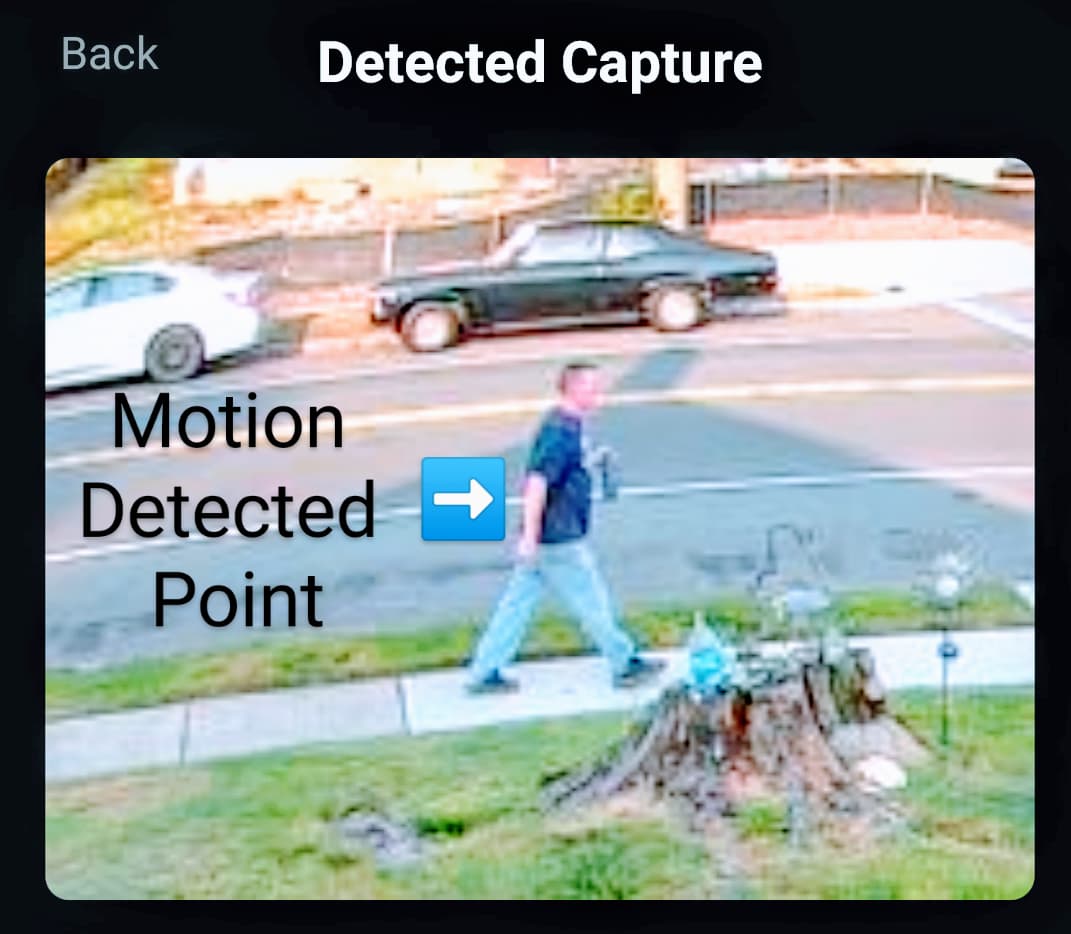
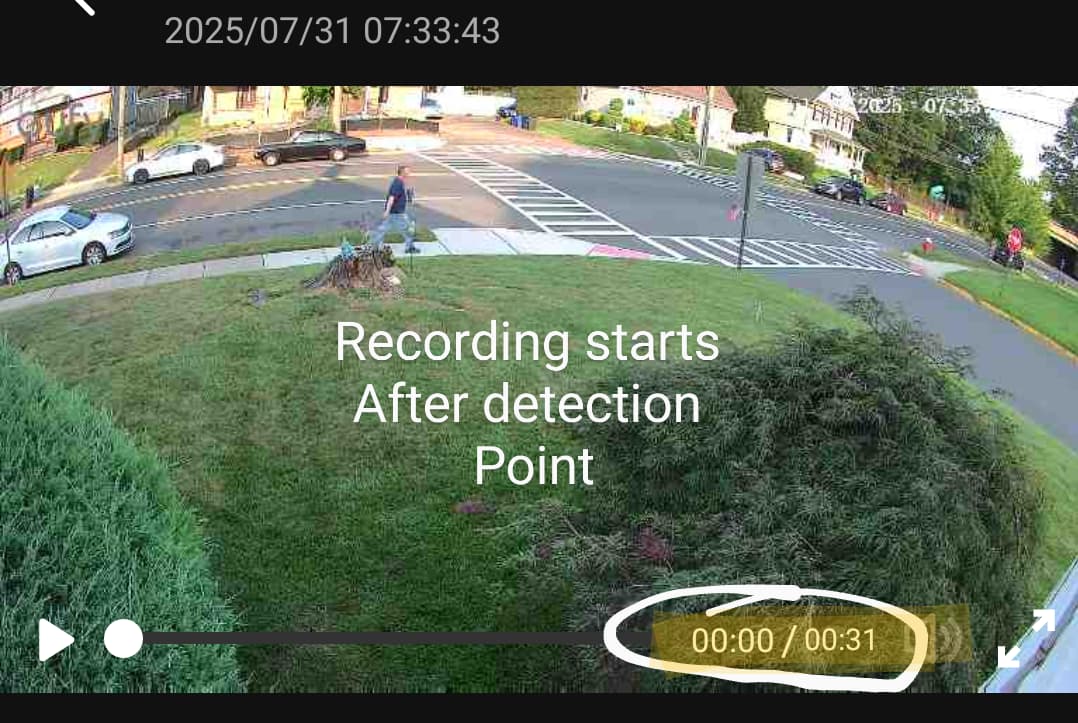
These are my thoughts / assume how the pre-roll operates.
Detected capture point, recording starts a few seconds afterwards.
Please be assured that we are currently conducting a special analysis to address the real-time streaming delays and interruptions, and we are committed to resolving this problem as soon as possible.
If you are not experiencing any issues when using the eufy app on your mobile phone, and the problem only occurs on your smart display, we kindly ask for your assistance to better investigate the issue. Could you please provide us with the following information:
A video or screenshot of the issue when it happens (please make sure the time is clearly visible in the image/video).
Camera Serial Number (Path: Mobile APP → Camera Settings → General → About Device).
Camera Log Files (Eufy APP → Sidebar Menu → About → Upload Log → Device Logs).
Smart Display Serial Number (Path: Smart Display Settings → My Device → Device Info).
Smart Display Log (Pull-down menu → Settings → My Device → Upload Logs).
Your cooperation will greatly help us in identifying and resolving the issue more efficiently.
One thing i do not understand, all of the cameras that i have sync to the homebase 3 to save videos etc. Why is the screens saving them too? I understand having a cache but storing all of the videos since i bought it? that seems weird. Also will erasing the videos on the screen also erase them on my homebase 3?
Good afternoon, are there any plans on making the screen connect to one of the home bases or even the eufy app? It seems to act like a stand alone device while recording in it?
Good afternoon! Yes, we do have plans to integrate the screen with the Eufy app. However, we’d like to understand your specific needs better to ensure our upcoming features will meet your expectations. Could you please share more about how you would like to use the screen with the app or the home base?
i would like to reply to my comment but it does not show up on the app. I was thinking making it a seamless process where the homebase could use its AI to help with real time identification etc using both the power of the screen and the homebase
At a simple level I would like Eufy app to show the device and if it is Online/offline.
For instance I have one set up at my parents house and It would be good to confirm it’s online. Maybe also see information like current battery percent and the SSID of the WiFi it is connected to. Firmware version. Things like that.
I bought the Eufy E10 tablet to have a dedicated screen for my Eufy C30 doorbell.
But sadly, I’ve found that it doesn’t work.
The tablet detects the doorbell but cannot display its video feed or receive notifications when it’s activated.
Yet, it works perfectly on my phone with the app.
Apart from that, all the cameras work perfectly.
It’s just the issue with the doorbell, which is very inconvenient.
I hope this will be resolved quickly.
I’m sorry, but your doorbell is connected directly to the router rather than through a HomeBase, correct? At the moment, the Smart Display is only compatible with C30 and C31 doorbells when they are connected via a HomeBase or a MiniBase Chime. Could you please create a ticket and share the ticket number with me? I’ll follow up on it for you.
First, we would like to sincerely apologize for any confusion or inconvenience you may have experienced. Currently, the app does offer the ability to check if your device is online or offline, and you can also view information such as the current battery level.
However, we would like to ensure we fully understand your needs. If there is a specific feature or detail you feel is missing, could you kindly provide more details or clarify your request?
It’s a nice display, but a lot of times the connections drops from the cameras, sometimes they automatically reload, but most of the times they won’t load anymore (Message: Unable to play the video) for a while even though in the app I can view them just fine.
Wifi reception shows -35dB so that should be ok.
Furthermore there are no events whatsoever, but in the app I have all kinds of events, not sure if it should show these, or if the device should detect/create events by itself?
I have a Homebase 3 with at the moment 7 cameras connected (I have 6 more but these are not installed yet)
One enhancement that would be good is auto live view settings we can set how long the suri live view is for.
But this is a global setting. It would be good if we could do it per camera. Eg say 2 mins for powered cams but 30s for solar cams to reduce battery drain on solar cams.
I see the smart display indicates with an icon which ones are solar. Alternatively two global settings one for powered cameras and one for solar cameras/ battery cameras would be ideal so we can set different time for each.
 Yes, I want the Smart Display to be an added plus to my security cameras and not hinder the original functionality of them.